VR media player
CineVoid
Turn your Meta Quest into a personal cinema for the movies, series and local files you already own.
Available now · 0.12.11
More ways to watch.
The latest public release adds a built-in browser, Plex Home profiles and improved audio and playback.
Built-in browserOpen websites, save bookmarks and watch fullscreen video on adjustable flat or curved screens. Website compatibility and playback quality depend on the service and headset.
Plex HomeChoose profiles with avatars and PIN protection. Keep history and favorites separate, and continue through episodes across seasons.
Audio and playbackSpatial surround output, Dolby Digital Plus Atmos on compatible Quest decoders, and smoother playback when adjusting screen and subtitle settings.
Photos and shared foldersView headset photos with previews and orientation support. Connect directly to Mac SMB shares and subfolders when discovery is unavailable.
Quest 3 familyQuest 3 and Quest 3S
Network mediaPlex, Jellyfin, Emby, DLNA, SMB and WebDAV
VR video180, 360 and stereoscopic
No subscriptionNo advertising or analytics
Inside the headset
This is CineVoid.
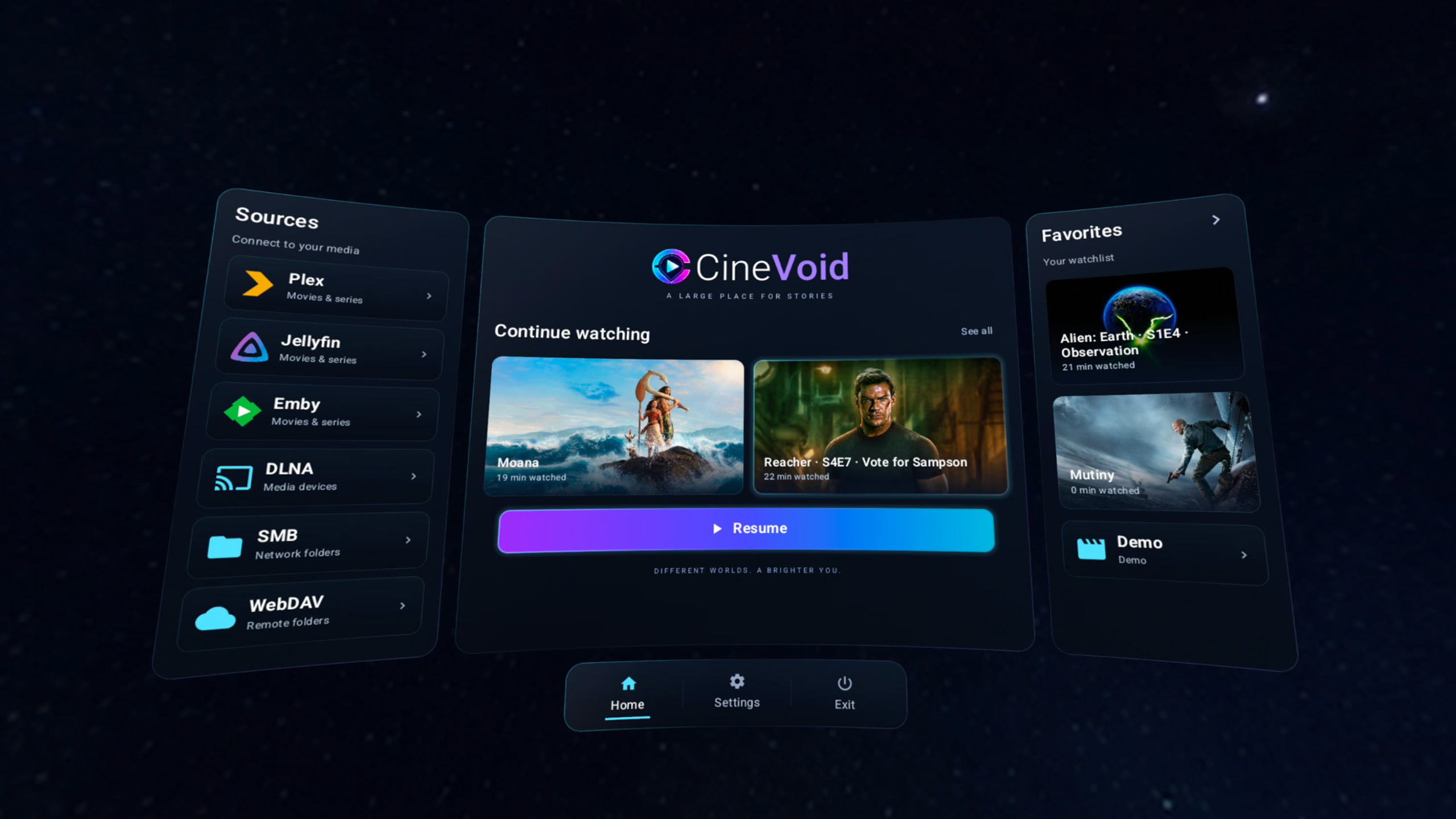
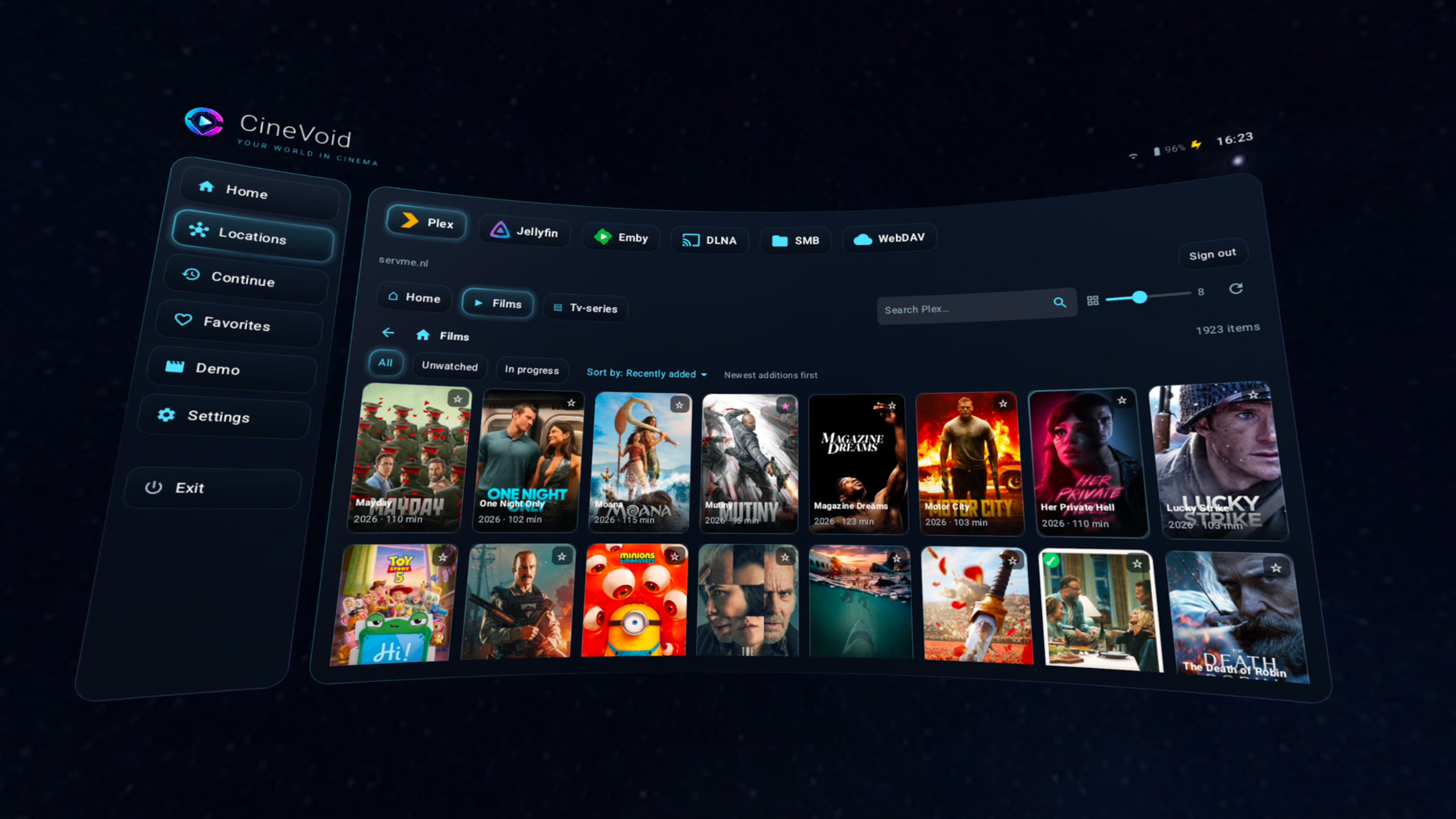
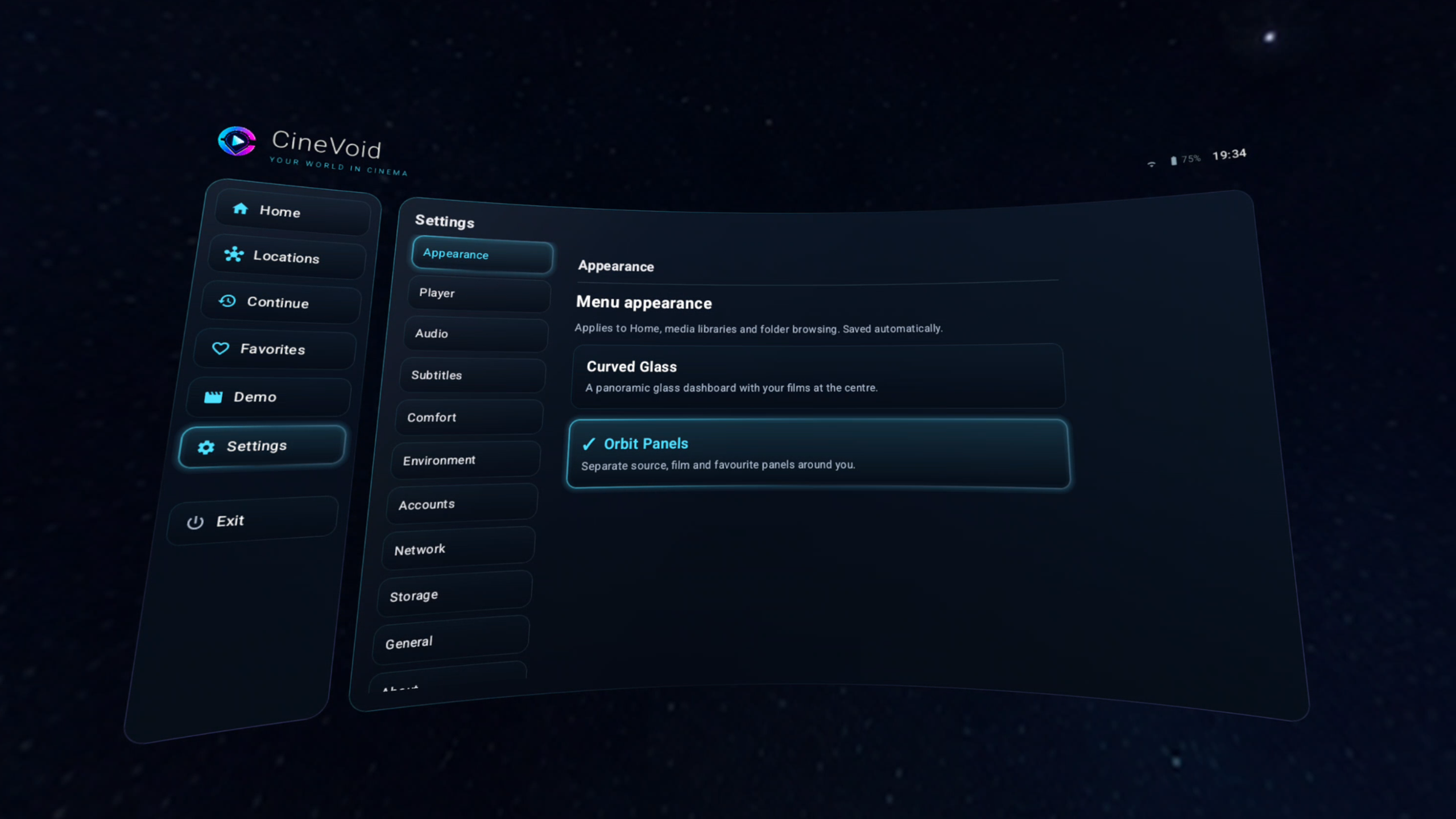
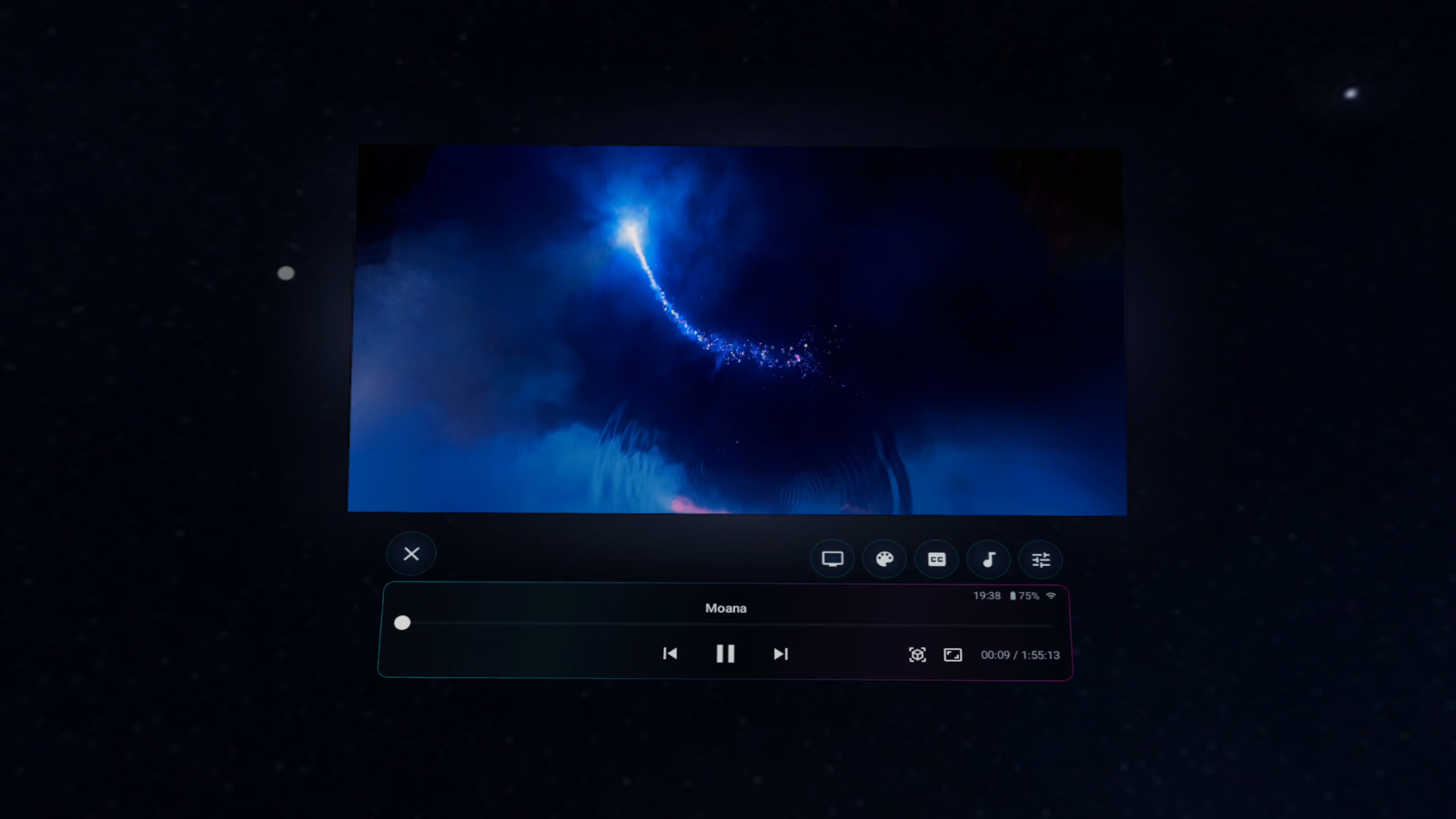
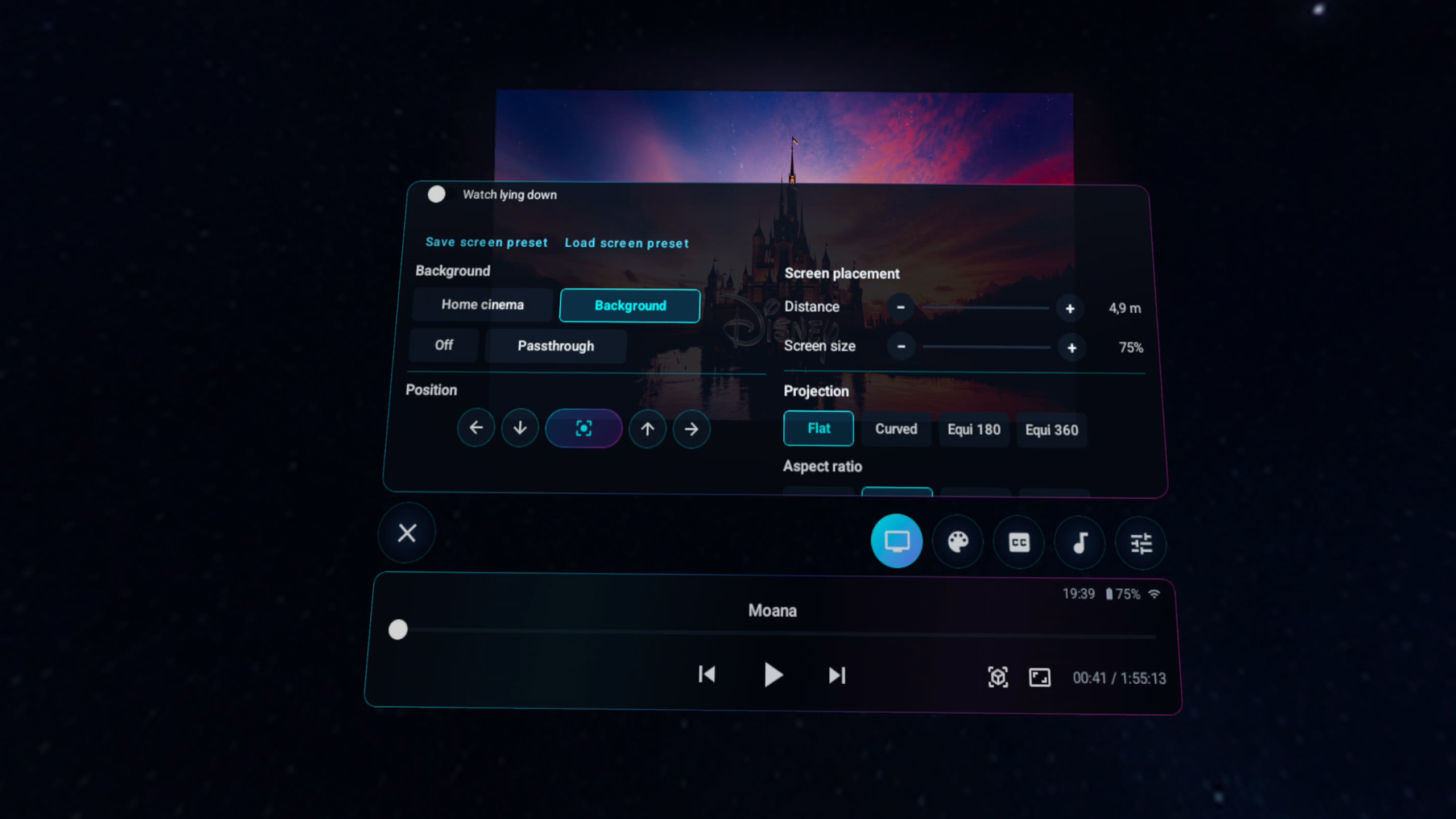
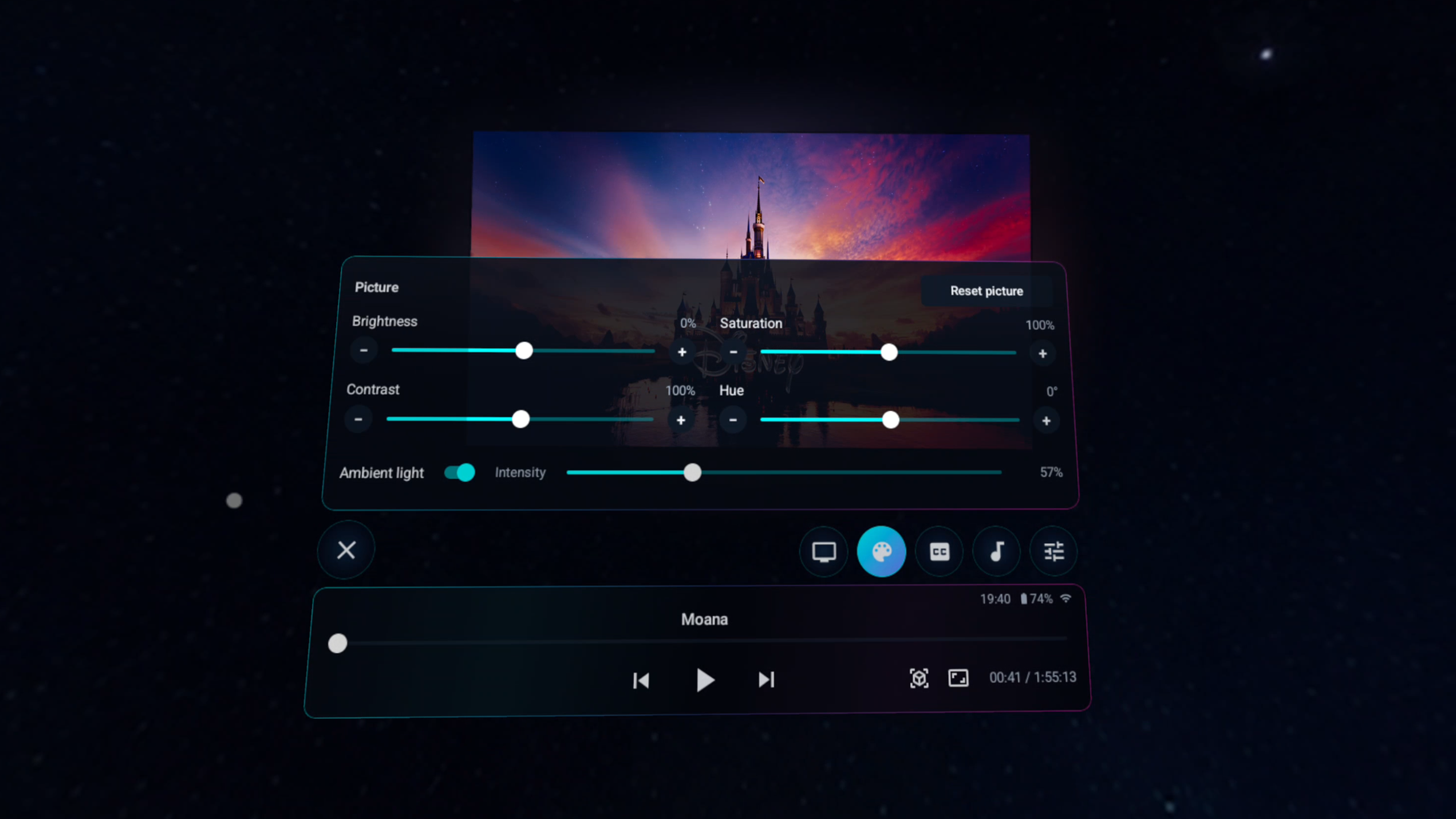
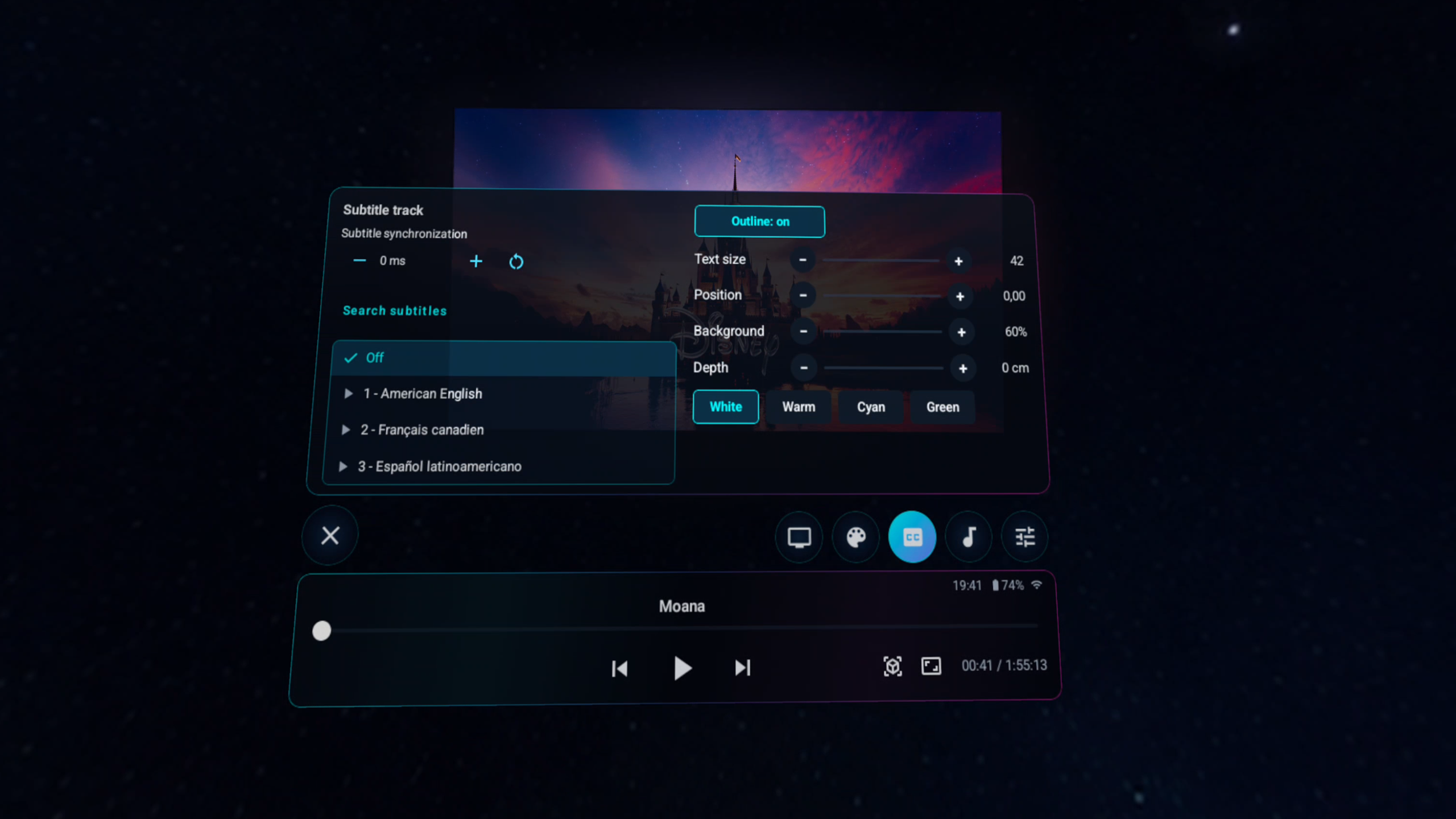
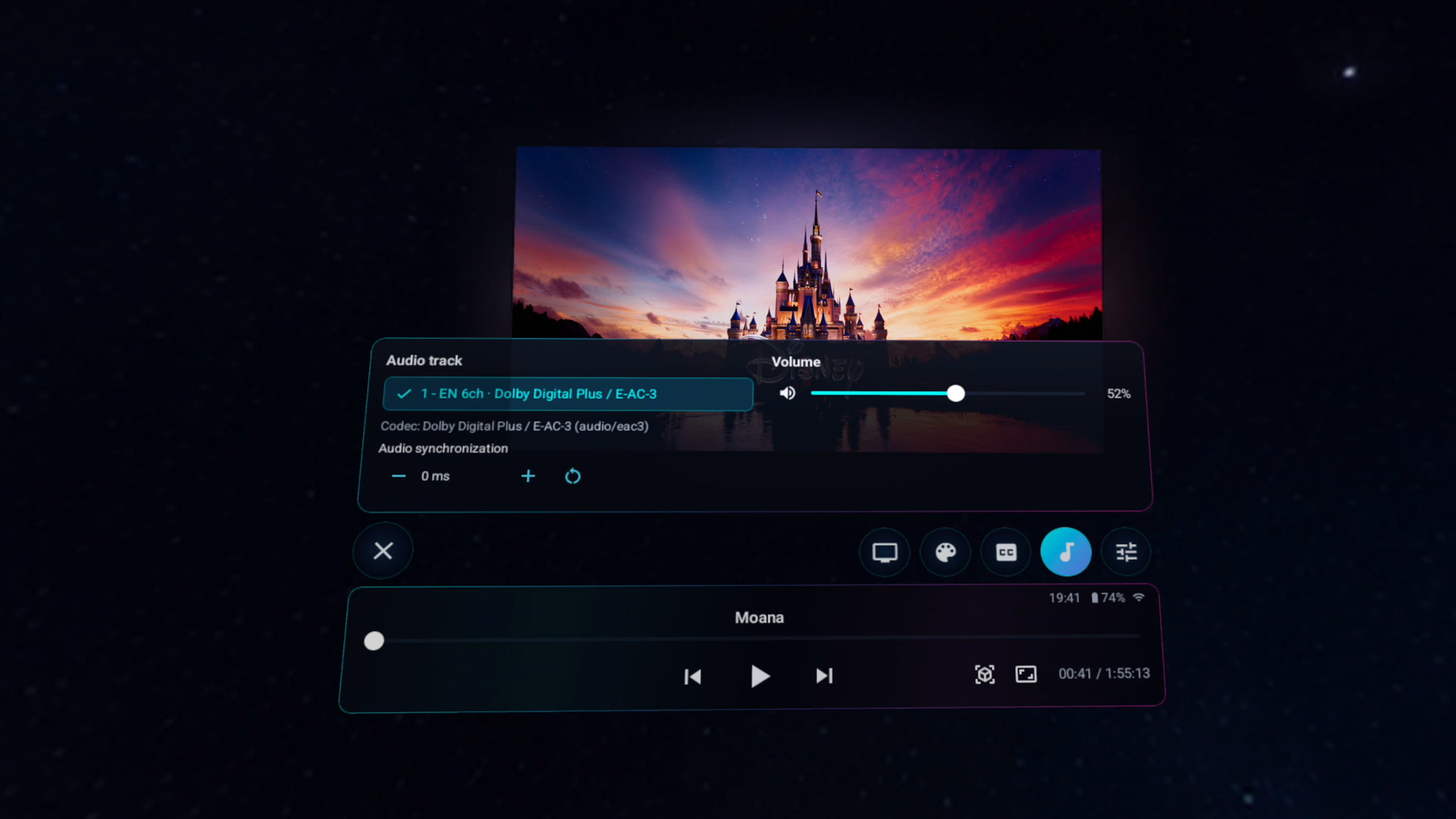
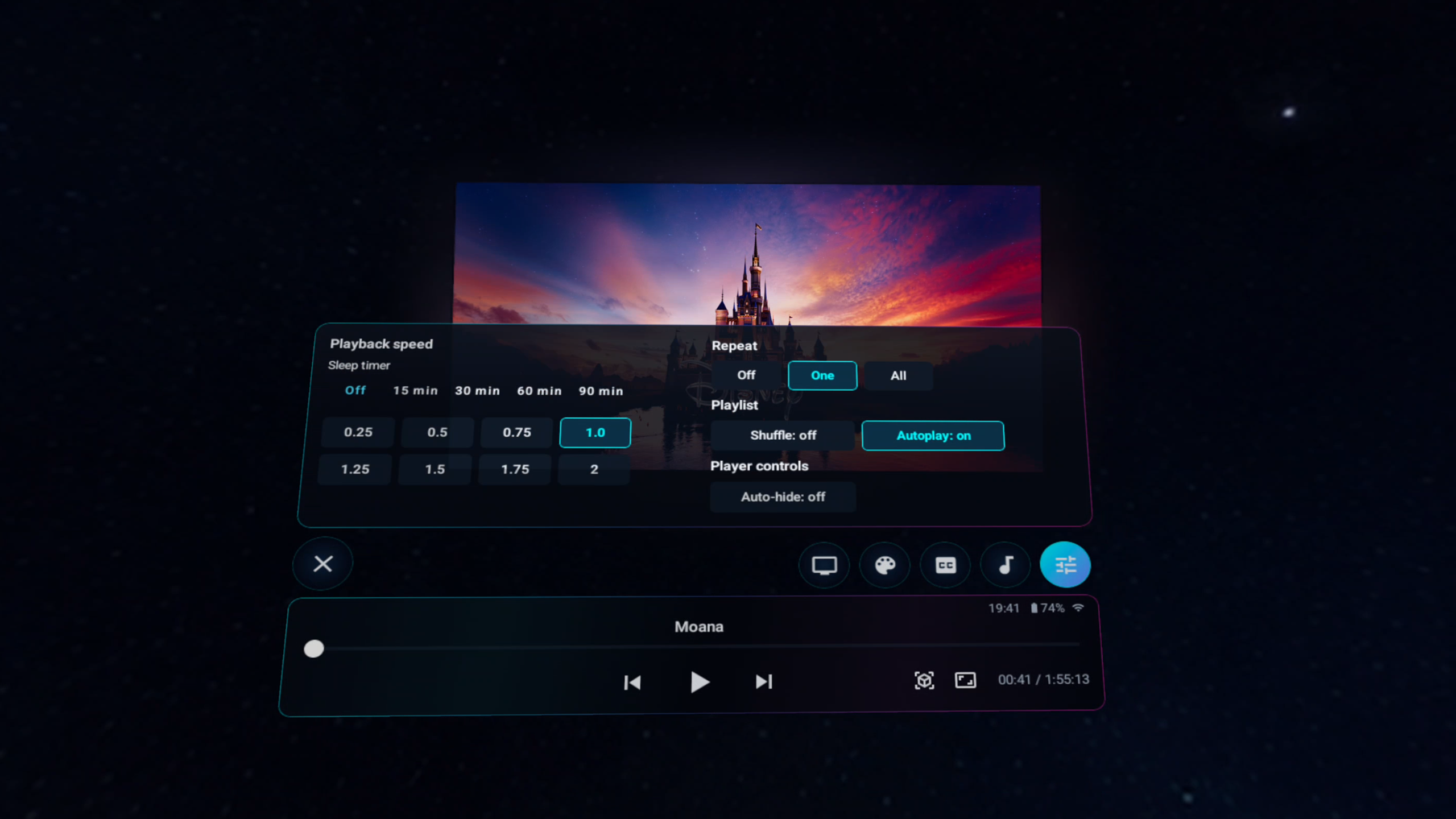
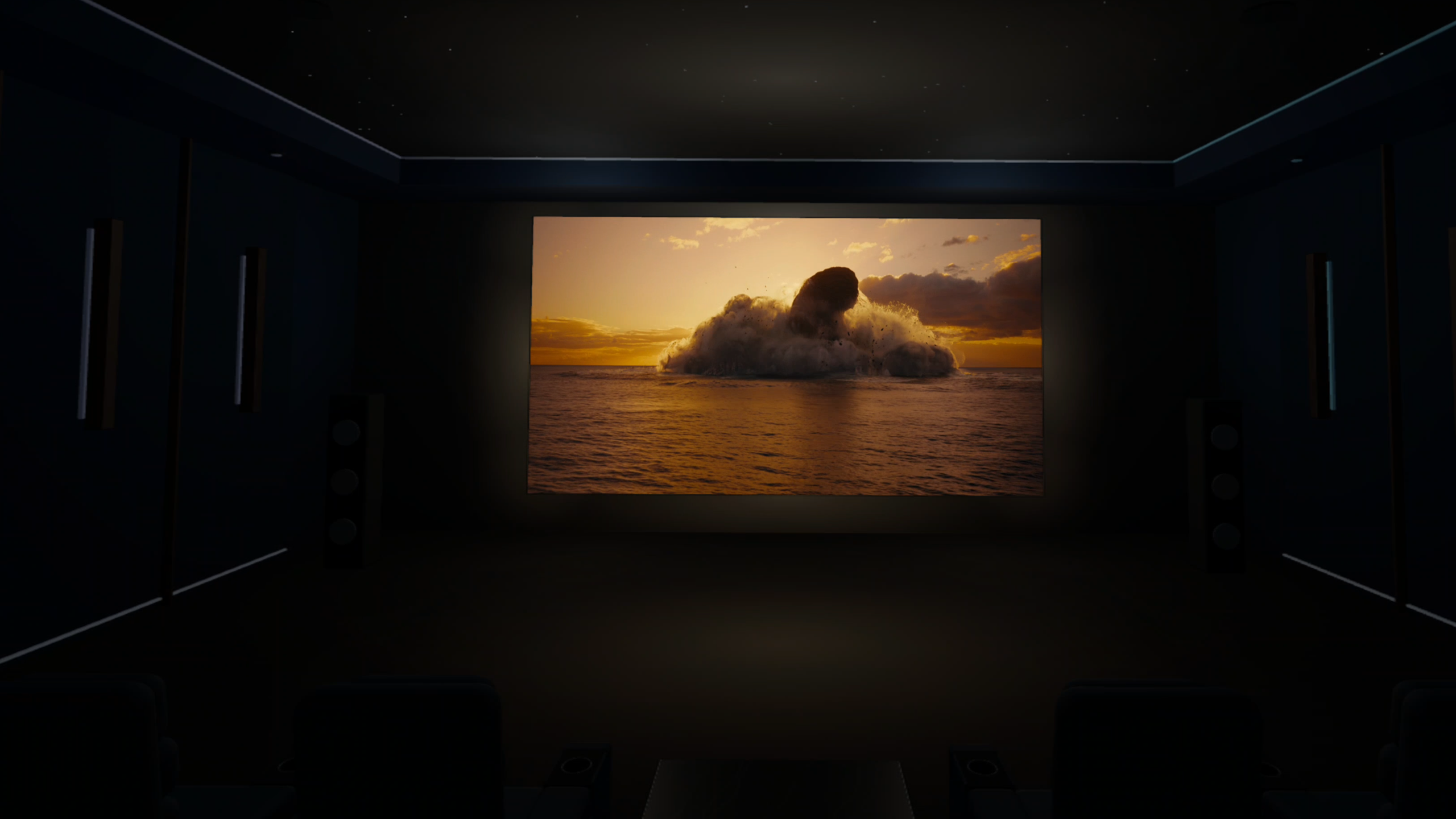
Real captures from CineVoid on Meta Quest. Explore the library, Orbit home and every player tool. Select an image to view it at full resolution.
Your media, your space
One player for flat and immersive video.
Browse your own library, choose the right projection mode and position the screen where it feels comfortable.
LocationsPlex, Jellyfin, Emby, DLNA/UPnP, SMB and WebDAV. Browse your connected sources from one cleaner Locations menu.
ProjectionFlat, curved, equirectangular 180-degree and 360-degree viewing.
Stereoscopic videoSide-by-side and top-bottom layouts. Supported stereo metadata takes priority over filename tags; manual selection stays available.
PlaybackSeeking, chapters when available, adjustable screen placement, audio-track selection and customizable subtitles.
Disc imagesSupported unencrypted Blu-ray and DVD ISO or IMG images without original disc menus.
ArchivesSupported non-password-protected RAR media archives without extracting a second full copy.
3D home cinemaA modeled room with seating, acoustic walls and a star ceiling. A fixed front-wall screen and adjustable viewing distance keep the movie part of the room.
House lightsSwitch the lights manually or let them dim deeply when playback starts.
Picture controlsBrightness, contrast, saturation and hue, with saved preferences and a reset to neutral colors.
Ambient lightMovie-driven color glow around the screen and onto the cinema surfaces, with intensity up to 200%.
OpenSubtitlesSearch online subtitles during playback, refine the title manually, download a track and reuse it for the same movie.
PassthroughWatch flat and curved video while keeping your real room visible around the screen.
Movable menusHold grip while a menu is visible to move the main menu, browser, settings or player console.
SettingsTabbed settings for playback, audio, subtitles, comfort, environment, accounts, network, storage, About and Changelog.
Screen-only viewingTurn the environment off to freely move and resize the screen. Your cinema viewing distance is stored separately.
Continuous viewingNext, previous and autoplay keep your placement within a playback session. Closing playback returns to the browser in front of you.
Need a safe test file?Download the same 40-second Big Buck Bunny sample included with CineVoid.

Made for the headset
Controls that stay within reach.
CineVoid is designed around Meta Quest Touch controllers. Essential playback actions stay compact, while audio, subtitle and projection options open when needed.
Quick seekController shortcuts for backward and forward
Flexible screenFree placement in Panorama or screen-only mode; viewing distance in Home Cinema
Grip movementMove the visible menu or video screen without hunting for a corner
Continue watchingResume your personal media library
AtmosphereCustom panoramic backgrounds, passthrough, ambient glow and dimmable cinema lights
Recent updates
Current work is visible by version.
See the features and fixes included in the public Meta Horizon Store releases.
Good to know
Compatibility without inflated promises.
Features described here reflect public Store version 0.12.11. Native-resolution video output can retain supported 4K, 8K and packed stereo sources, but decoding and smooth playback still depend on the headset, codec, bitrate and network. CineVoid uses software audio decoding for several formats not handled natively by Quest.
CineVoid does not support commercially encrypted discs, original Blu-ray or DVD menus, password-protected RAR archives, or DTS:X object-audio rendering. Dolby Digital Plus Atmos uses compatible native Quest decoders; availability depends on the headset and source.
Questions or an issue?
We want the details.
Tell us which Quest model, media source and file format you used. Specific reports make fixes much faster.